Job Schedule
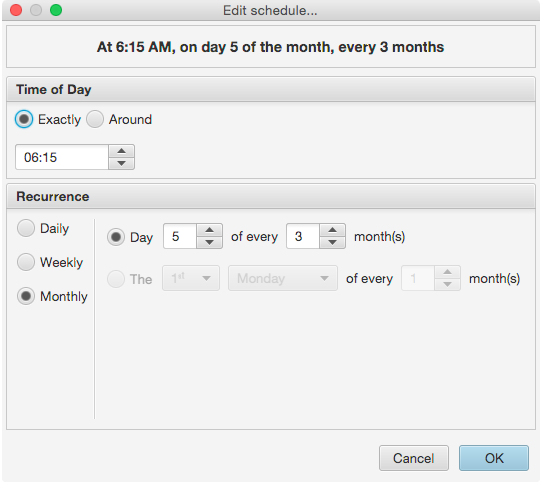
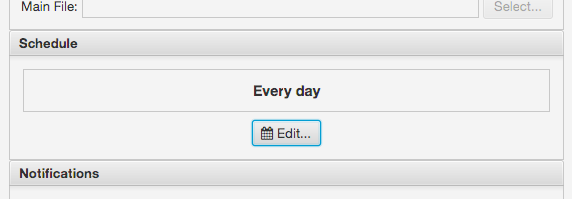
The job schedule editor is accessed via the " Edit..." button on the Job Editor screen. Above this button is a textual description of what the current schedule settings are. The subsequent dialog that appears allows editing of the Time of Day, and Recurrence frequency at three granularity options:
- Daily: Run every X days, or every weekday
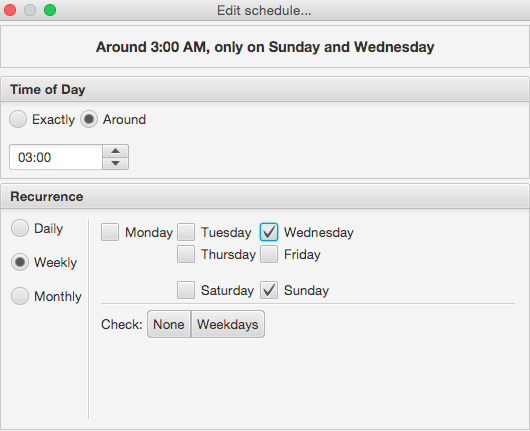
- Weekly: Run every week on specifically selected days of the week
- Monthly: Run on a specific day of the month, every X months
Time of Day
The Time of Day settings has two modes:
- Exactly: Run the job at exactly the time specified
- Around: Run the job around the time specified, taking into account other jobs to make better use of compute resources.
The Around option is recommended.
Daily Schedule
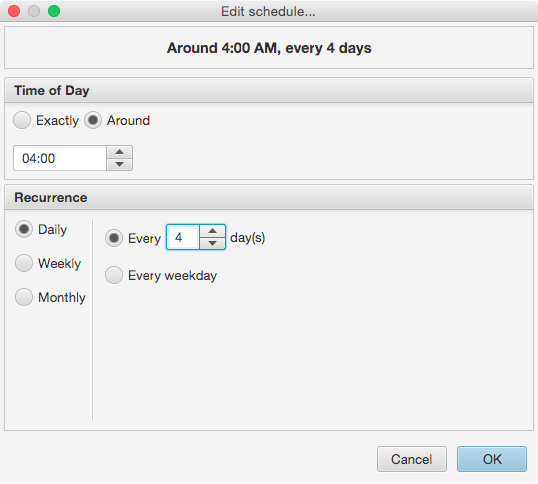
The daily schedule editor has two modes: Every X days and Every weekday. The former allows for a fixed interval between runs, and the latter for running a job Monday through Friday.
Weekly Schedule
Monthly Schedule